AI Instagram carousel generator: remake a carousel slide by slide

Founder of Maju Superfoods and Stay Viral. $50M Sold Online.
8 min read Published 2026-11-17
Key takeaways
- Svira remakes a photo carousel slide by slide from up to 10 source slides, uploaded or from a link.
- You get new slides, a post caption and a ZIP, ready for Instagram or TikTok.
- A carousel costs $1.00. Analysing the source is free, and credits return if a job fails.
- Start from a structure that worked, and spend your notes on the first slide.
- You post it yourself and turn on the platform AI label if the images look like real photos.
- Google Search Central has guidance on using generative AI content, worth a read if you publish at volume.
- Instagram announces product changes on its blog, so check it for carousel updates.
Carousels are easy to make badly: ten slides, no structure and a caption that says nothing. A carousel that already worked has the structure solved. That’s where Svira comes in: it remakes each source slide with your product or style and writes the caption. This guide breaks down the steps, the cost and what makes a good source.
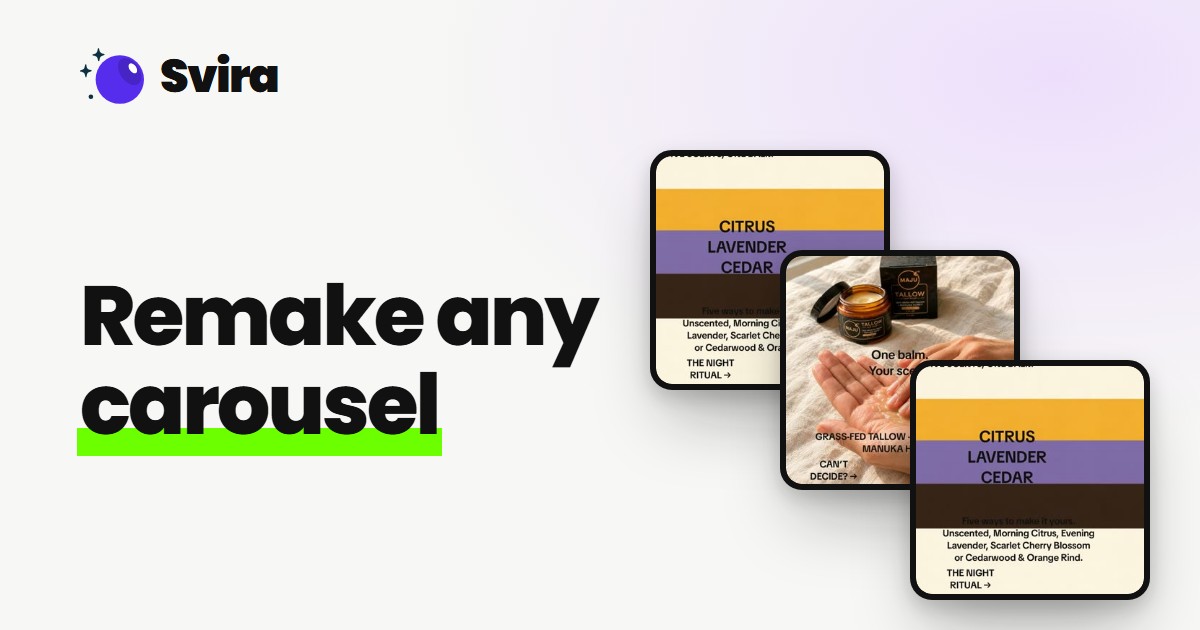
Svira remakes a photo carousel of up to 10 slides, uploaded or from a link, slide by slide with your product or style. It writes a post caption and gives you the new slides in a ZIP for $1.00. Analysing the source is free, credits return if a job fails, and you post it yourself.
What does an AI carousel generator do?
An AI carousel generator makes the slides and the caption for a carousel, a set of photo slides that tell one story. Svira begins with a carousel that already works. It learns the layout and structure, then remakes each source slide as one new slide with your product or style, keeping the message and order intact.
Many carousel tools begin with a text prompt. Svira starts from a source carousel instead.
The visuals and the caption come out as yours, ready to review before you post. To get more from a winner, see turn one winning ad into variations.
How to make an Instagram carousel with AI
To make an Instagram carousel with AI in Svira, choose a carousel of up to 10 slides that worked in your niche, paste its link or upload the slides, add your product or style and notes, then create. You download a ZIP of new slides and a caption and post them yourself on Instagram or TikTok.
1. Choose a carousel that worked
Pick a photo post with up to 10 slides that fits your niche.
2. Paste the link or upload the slides
Svira studies the carousel first. That analysis is free.
3. Add your product or style and your notes
Say what to change, such as the product, the tone or the topic.
4. Create and download the ZIP
Get the new slides and a caption. Post them on Instagram or TikTok yourself.
Readers decide on the first slide. Nielsen Norman Group’s research on how users read on the web is useful background, and our UGC hooks examples show strong openers.
Can the same carousel work as a TikTok carousel?
Yes. A TikTok carousel and an Instagram one have the same job, a set of slides and a caption. Svira gives you the slides in a ZIP plus a caption, so you can upload the same set to either platform. Check each platform’s current limits when you post, and adapt the caption.
The posting steps differ only slightly between the two platforms.
- Upload the slides in order.
- Paste the caption.
- Turn on the AI label if the images are realistic AI.
TikTok
- Upload the slides in order.
- Adapt the caption to your style.
- Check the platform’s current rules.
Check Instagram’s blog and TikTok’s Creator Academy for current format guidance, since limits change.
Is there a free AI carousel generator?
Partly. Uploading and analysing a source in Svira is always free, and beta accounts can claim free videos on Discord, which can be spent on carousels. After that a carousel costs $1.00, the cheapest format, and credits go back to your balance if a job fails.
The table shows what each Svira format costs.
| Format | Cost | You get |
|---|---|---|
| Carousel | $1.00 | New slides, a caption and a ZIP |
| Viral video | $3.00 | A new video with your avatar |
| Product video | $3.00 | A UGC-style video for your product |
Swipe to see more
Uploading and analysing a source is always free. If a job fails, the credits go back to your balance.
What does a good source carousel look like?
A good source carousel has a strong first slide that states the promise, one idea per slide, a clear order that builds toward a conclusion or call to action, and up to 10 slides. Svira rebuilds each slide from a source slide, so the source carries the structure. Only use carousels you have the right to remake.
Strong carousels tend to share a few traits, and you can check them in a minute.
| Trait | What to look for |
|---|---|
| A strong first slide | It states the promise so a reader keeps swiping. |
| One idea per slide | Each slide has a single point you can rebuild with your content. |
| A clear order | The slides build toward a conclusion or a call to action. |
| Up to 10 slides | Svira accepts source carousels of up to 10 slides. |
Swipe to see more
Rights apply to photos too. Only remake carousels you have the right to use, and use product images and faces you are allowed to use.
Product shots need to be clean too. Shopify’s product media help covers adding images to a listing, and the same habits help carousel slides. Selling a store’s products? See AI UGC for Shopify and ecommerce.
How do you write the caption and post the carousel?
Svira writes a post caption for the remade carousel, tailored to its topic and to any notes you add. Read it before you post, edit anything that sounds generic, add your own link or call to action, check the slides run in order, and turn on the platform’s AI label if the images look like real photos.
Use this checklist before you post:
- Open the ZIP and check the slides run in the right order.
- Read the caption aloud and edit any line that sounds generic.
- Add your offer, link or hashtags as you normally would.
- Turn on the platform’s AI label if the images look like real photos.
Label realistic AI images. Meta publishes its approach to labeling AI content, and TikTok’s policy asks creators to label realistic AI images, audio and video.
Who benefits from an AI carousel generator?
Instagram creators who want an active carousel feed, educators and coaches who want several versions of one tip carousel, and product brands that want explainer and comparison slides with their own product can benefit from Svira’s carousel generator. A carousel costs $1.00 and you get new slides, a caption and a ZIP.
- Instagram creators. Keep a carousel feed active by remaking formats that worked.
- Educators and coaches. Turn one tip carousel into several versions.
- Product brands. Remake explainer and comparison slides with your own product.
If you also make Reels, see how to recreate Instagram Reels. Brands can scale this across creators with Campaigns.
Ad teams can also see AI UGC ads for the video side.
See a carousel remade in your own style
A real run inside Svira: paste the link to a photo post that did well, let Svira study it for free, review the plan, and get new slides, a caption and a ZIP in about three minutes.
- Open Svira and pick Carousel. It costs $1.00.
- Paste the link to a photo post that did well, or upload up to ten slides. Svira studies it for free.
- Choose who presents it. A post with no face keeps the original.
- Review the plan, then click create. Wait about three minutes.
- Save from your library: the slides, a ZIP and the caption. Then post it.
Read the video transcript
Remake any Instagram carousel in your own style, in about three minutes. You get new slides, a caption, and a ZIP, ready to post. Step one. Open Svira, and pick Carousel. It's one dollar. Step two. Paste the link to a photo post that already did well. Or upload up to ten slides. It studies the post first, for free, and finds the slide count, and the hook type. Step three. Choose who presents it. This post shows no face, so Svira keeps the original. Step four. Review the plan, then click create. Your new carousel is being made. About three minutes. If it fails, you get the money back. Here's the result. Same story and order, new slides in the source style. Slide count and hook type kept. Step five. Hit save in your library, for the slides, a ZIP, and the caption. Then post it. Join the beta at svira dot ai.
FAQs
What is an AI Instagram carousel generator?
A tool that makes carousel slides and a caption. Svira remakes an existing carousel slide by slide, using a photo carousel of up to 10 slides as the source. It applies your product or style to each slide, writes a matching caption and gives you a ZIP for $1.00. You post it yourself on Instagram or TikTok.
How many slides can I use?
You can use up to 10 source slides. Svira remakes each one as a new slide, so the message and the order of the original carousel stay intact while the visuals use your product or style. It also writes a matching post caption, and you get the new slides as a ZIP along with the caption.
Is there a TikTok carousel generator?
Svira gives you the new slides in a ZIP and a caption that you can upload to Instagram or TikTok. It does not post for you, so you upload the slides in order, adapt the caption to your style and check each platform’s current rules. Turn on the platform’s AI label if the images are realistic AI.
Is there a free AI carousel generator?
Partly. Uploading and analysing a source in Svira is always free, and beta accounts can claim free videos on Discord, which you can spend on carousels too. After that a carousel costs $1.00, the cheapest format, and the credits go back to your balance if a job fails. Viral and product videos cost $3.00.
Can I keep the same layout as the source?
Yes. Svira learns the layout and structure of the source carousel, then applies your product or style to make new slides. Each source slide becomes one new slide, so the message and the order stay intact while the visuals are yours. A strong first slide and one idea per slide make a source remake well.
How do I claim free videos?
Join the Svira Discord, open #start-here, tap “Claim” and enter your email. Svira sends you a link to set your password, and the free balance lands in your account so you can make real videos. The private beta is open while slots last, and analysing a source is always free.
Do I need permission to use a face, a voice or a source video?
Yes. Only remake sources, products, faces and voices you have the right to use. An avatar or voice clone made from a real person needs that person’s consent to AI use of their likeness. You are responsible for what you post, so check the rights to a source video before you remake it.
Do I label the posts as AI?
Yes, when the content looks realistic. TikTok and Instagram both ask creators to label realistic AI-generated content, so turn on the platform’s AI label when you post a Svira video or carousel. Svira gives you the finished file, you publish it yourself, and each platform’s rules can change, so follow the current ones.
What if a job fails?
If a job fails, Svira refunds the credits to your balance automatically and shows a plain reason for the failure, so you are not charged for a video you did not get. Uploading and analysing a source is always free, and you see the free first-shot preview and the cost before anything is charged.
Conclusion
A carousel generator is worth using when it respects the structure that made a carousel work. Svira keeps it and swaps in your content, caption and visuals.
If you already post carousels, you know your audience. Svira gives you more versions to test. For Reels tools, see the best AI Instagram Reels makers.
Platforms keep updating their rules. Meta explains how it labels AI-generated content, and Google has guidance on using generative AI content.
A carousel costs $1.00 and analysis is free. To keep one presenter across posts, see the AI avatar for Instagram Reels.
Pick one carousel and see the plan before you create.
Svira turns a link to a post that already works into your own version, with your avatar or your product. Analysing a source is free, so you can try it on a post of your own.


