AI TikTok Shop video generator: clone videos that already sell

Founder of Maju Superfoods and Stay Viral. $50M Sold Online.
9 min read Published 2026-11-17
Key takeaways
- Paste a TikTok link and Svira studies the hook and beats, then rebuilds the video around your product.
- Analysing the source is free, and you see a free preview of the first shot before you pay.
- A finished video is under 60 seconds and takes 3 to 5 minutes. You download it and post it yourself.
- A Viral or Product video costs $3.00 and a Carousel $1.00. If a job fails, the money goes back.
- Find sources in TikTok’s Creative Center Top Ads and learn the Shop’s rules at TikTok Shop Academy.
- Only clone sources, products and faces you have the right to use. TikTok’s synthetic media policy asks you to label realistic AI video.
- Selling for others? See TikTok Shop affiliate videos and the affiliate center.
Most TikTok Shop videos are guesses until they sell, and a guess costs a shoot. A video that already sold is evidence. That’s where Svira comes in: it studies a Shop video that worked, then remakes it with your product, avatar and a fresh script. This guide breaks down how cloning works, what to clone and what it costs.
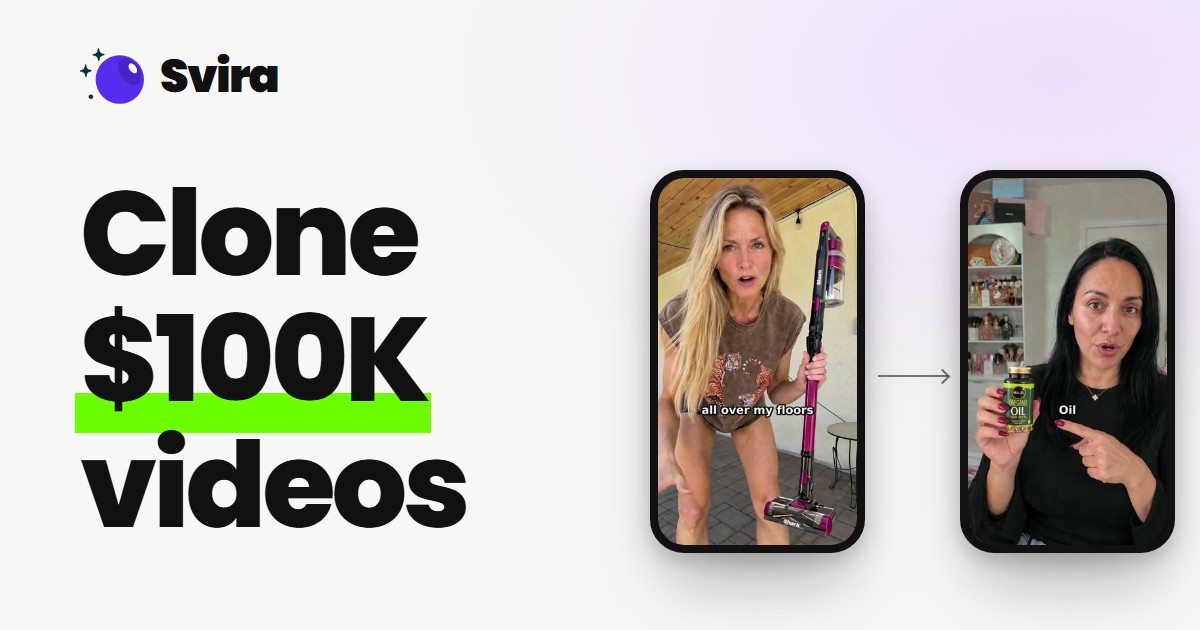
Svira is an AI TikTok Shop video generator that starts from a Shop video that already sold. Paste the link and it studies the hook and beats for free, then remakes the video with your product, avatar and a fresh script. A finished video under 60 seconds takes 3 to 5 minutes and costs $3.00.
What is an AI TikTok Shop video generator?
An AI TikTok Shop video generator makes a Shop video for you without a shoot. Svira works from a video that already sold: you give it the link, it studies the hook, the beats and the call to action, then remakes the video with your product, your avatar and a fresh script.
Most tools that call themselves a TikTok Shop video generator start from a blank page. You type a prompt and hope the result sells. Svira starts from the opposite end: a video that already sold. Sellers who prefer to stay off screen can follow TikTok Shop without showing your face.
Svira works backwards from the finished video to the plan behind it. That plan has three parts: the hook that opens the video, the order of the beats, and the call to action at the end.
Svira keeps that structure, writes a new script for it, and swaps in your product and the presenter you pick. The footage is generated fresh, so the result is a remake, not a re-upload.
Why start from a winner?. A hook you invented is a guess. A hook that already held viewers on a Shop video is evidence. Cloning the structure lets you spend your testing budget on your product instead of on untested ideas.
AI TikTok Shop video generator or TikTok Shop video creator?
People search for a “TikTok Shop video creator” and mean two different things: a person who films for you, or software that makes the video. Svira is the second kind.
It does not replace the strategy work of choosing a product and a source, but it removes the filming, the editing and the voice recording. Need ideas? See TikTok Shop video ideas and scripts.
How do I clone a viral TikTok video for my product?
Paste the TikTok link or upload the video into Svira, which studies it for free. Then choose your avatar and product, set captions to Clean, Classic or Off, check the free first-shot preview, and click create. The finished video, under 60 seconds, is ready in 3 to 5 minutes.
The flow is the same one shown in the video above. It is short on purpose, because the thinking happens early, not in an editor.
1. Pick a source that already sells
In the video we use a TikTok Shop video that made $305.55K in 30 days, found on Kalodata. Any Shop video with strong results in your niche works.
2. Paste the link or upload the video
Svira studies it first, for free: the hook, the product, the beats and the call to action.
3. Choose your avatar and your product
Use yourself or an AI avatar. Add the product with an Amazon link, or with photos and a short description.
4. Set captions and the headline
Pick Clean, Classic or Off captions and decide how the headline hook should work.
5. Check the free preview, then create
You see the first shot before paying. Click create and wait 3 to 5 minutes.
When it finishes you get a vertical video under 60 seconds. Download it, add your Shop link, turn on the platform AI label and post. Svira does not post for you. For openers, see UGC hooks examples.
Is there a free AI TikTok Shop video generator?
Partly. In Svira, analysing a source and the first-shot preview are free, and new beta accounts can claim free videos on Discord. A finished Viral or Product video costs $3.00 and a Carousel costs $1.00, because the render is where the cost is. Failed jobs are refunded.
Svira is in an open beta and new accounts can claim free videos on Discord, so you can make real videos without paying first. Beyond that balance, here is what is free and what is not:
| Step | Cost | What you get |
|---|---|---|
| Analysing a source | Free | The hook, product, beats and call to action, explained. |
| Free first-shot preview | Free | A look at the first shot of the planned remake before you pay. |
| Viral video | $3.00 | A new video under 60 seconds with your avatar and a fresh script. |
| Product video | $3.00 | A UGC-style video for your product, avatar optional. |
| Carousel | $1.00 | New slides, a caption and a ZIP. |
Swipe to see more
You only spend credits when you click create, so you can analyse sources and read the preview first.
Which TikTok Shop videos are worth cloning?
The best TikTok Shop videos to clone have a clear hook at the start, one product doing one clear thing, a direct call to action and a format you can repeat. Avoid videos built around one brand, a celebrity or a one-off trend, and sources you have no right to remake.
Not every popular video clones well. The remake keeps the structure, so the structure has to be worth keeping.
Good sources
- A clear hook at the very start.
- One product shown doing one clear thing.
- A direct call to action at the end.
- A format you can repeat with other products.
Weak sources
- Videos built around one brand name, which a remake leaves out.
- Clips that depend on a celebrity or a one-off trend.
- Sources you have no right to remake.
- Videos with no spoken script to rebuild.
Svira shows a warning before you create when the source promotes a specific brand, because a Viral remake leaves that brand out. In a Product video your own product replaces the original one.
For the full flow on a Shop listing, see how to make TikTok Shop videos. For the product-led version, see the AI product video generator.
How does making a TikTok Shop video by hand compare with Svira?
By hand, you study trends, film new footage or hire a creator, and edit separately, which takes hours. With Svira you paste a link, pick an avatar, add your product and choose captions in one place. It takes 3 to 5 minutes and costs $3.00 for a Viral or Product video.
| Step | By hand | With Svira |
|---|---|---|
| Finding a structure | Study trends and guess. | Paste a link; the analysis is free. |
| Presenter and product | Film new footage or hire a creator. | Pick an avatar and add the product by link or photo. |
| Edit, captions, headline | Separate editing software. | Choose Clean, Classic or Off captions and a headline in one place. |
| Time | Hours or more. | 3 to 5 minutes. |
| Cost per video | Varies: gear, studio, creator fees. | $3.00 for a Viral or Product video. |
Swipe to see more
Rights come first. Only remake sources, faces, voices and products you have the right to use. A voice or avatar built from a real person needs that person’s consent.
Label and disclose. TikTok’s synthetic media policy asks creators to label realistic AI video, and Spark Ads help covers promoting a post. See AI UGC ads for the paid angle.
Paid or gifted to promote? The FTC says a material connection must be made obvious.
See how Svira clones a winning TikTok Shop video
The video shows a real run inside Svira. We take a TikTok Shop video that made $305.55K in 30 days, let Svira study it, pick an avatar and a different product, check the free preview, and generate a new video in 3 to 5 minutes.
- Find a video with over $100K GMV in the last 30 days on Kalodata.
- Copy the link to the video.
- Paste the link into Svira. It studies the video first.
- Pick your avatar and product, using yourself or an AI avatar.
- Check the free preview of the first shot, then click create. Wait 3 to 5 minutes.
- Repeat as many times as you want.
Read the video transcript
Let's clone this TikTok Shop video that did over a hundred thousand dollars in GMV last month. Watch how I insert whatever avatar I want, and whichever product I want... yes, really... and make a hundred percent unique clone in about a minute of work, just by giving Svira the link. Here's how. Step one. Find a winning video on Kalodata. Anything over a hundred thousand dollars in GMV in the last thirty days. Step two. Copy the link. Step three. Paste it into Svira. It studies the video first, and finds the hook and the product. Step four. Pick your avatar and your product. It can be you, or an AI account. Step five. Check the free preview of the first shot, then click create. 3 to 5 minutes later, your product is in the video. Step six. Repeat as many times as you want. If you wanna try it, comment TRIAL and I'll send you the tool that's in beta right now.
FAQs
What is the best AI TikTok Shop video generator?
It depends on what you need. If you want to start from a Shop video that already sold and remake it with your product and avatar, Svira is built for that: it studies the hook and beats from a link, then builds a new video under 60 seconds in 3 to 5 minutes. If you want pure text-to-video from a prompt, that is a different kind of tool.
How do I clone a viral TikTok video?
Paste the TikTok link into Svira, which studies the hook and beats for free. Then pick an avatar and a product, check the free first-shot preview, and click create. 3 to 5 minutes later you have a new video under 60 seconds that keeps the original structure with a fresh script. See how to recreate a TikTok video for more.
Is there a free AI TikTok Shop video generator?
Partly. Analysing a source and the free first-shot preview cost nothing, and beta accounts can claim free videos on Discord. After that a finished Viral or Product video costs $3.00 and a Carousel costs $1.00. If a job fails, the credits return to your balance, so you only pay for videos that finish.
Can Svira post to my TikTok Shop?
No. Svira builds the video and you download it, then post it yourself. When you publish, add your Shop link and turn on the platform AI label for realistic AI-generated content. Svira never posts to TikTok or your Shop on your behalf, so you stay in control of what goes live and when.
Can I use my own face?
Yes. You can use one of your avatars, including one built from your own photo, or keep the original presenter from the source video. You can also design an avatar from scratch and give it a cloned or designed voice. Only use a face or voice you have the right to use.
Can I edit the video after it is made?
Before you create, you choose captions (Clean, Classic or Off), the headline, the language and a short direction note. After the video is made you can save it and copy the caption. To change the result, make a new version with different direction. The first-shot preview is free, so you can check the plan before paying.
How do I claim free videos?
Join the Svira Discord, open #start-here, tap “Claim” and enter your email. Svira sends you a link to set your password, and the free balance lands in your account so you can make real videos. The private beta is open while slots last, and analysing a source is always free.
Do I need permission to use a face, a voice or a source video?
Yes. Only remake sources, products, faces and voices you have the right to use. An avatar or voice clone made from a real person needs that person’s consent to AI use of their likeness. You are responsible for what you post, so check the rights to a source video before you remake it.
Do I label the posts as AI?
Yes, when the content looks realistic. TikTok and Instagram both ask creators to label realistic AI-generated content, so turn on the platform’s AI label when you post a Svira video or carousel. Svira gives you the finished file, you publish it yourself, and each platform’s rules can change, so follow the current ones.
What if a job fails?
If a job fails, Svira refunds the credits to your balance automatically and shows a plain reason for the failure, so you are not charged for a video you did not get. Uploading and analysing a source is always free, and you see the free first-shot preview and the cost before anything is charged.
Conclusion
An AI TikTok Shop video generator earns its place when it removes the slow parts of production and leaves the judgment to you.
If you already know which videos sell in your niche, you have the hardest part. Svira handles filming, voice, captions and edit. Compare tools in the best AI tools for TikTok.
TikTok’s newsroom post on AI labels describes its synthetic media policy and creator label tool, and TikTok Shop Academy covers selling on the Shop.
Analysis and the first-shot preview are free, then a video takes 3 to 5 minutes for $3.00. If HeyGen is on your list, see HeyGen alternatives for TikTok.
Clone one winner this week, and keep the ones that hold up.
Svira turns a link to a post that already works into your own version, with your avatar or your product. Analysing a source is free, so you can try it on a post of your own.