Pictory alternative: script tool or viral remake, checked November 19, 2026

Founder of Maju Superfoods and Stay Viral. $50M Sold Online.
8 min read Published 2026-11-20
Key takeaways
- Pictory’s homepage says “Generate Videos in Minutes with Pictory’s AI Video Agent”, as of November 19, 2026.
- Pictory’s homepage describes no reference-video remix; the closest is continuing a clip with a new prompt.
- It offers a talking presenter or a digital twin of you. Its pricing page lists custom avatars and voice clones on Professional.
- Its pricing page shows a Black Friday promo, so we quote no plan price. A 14-day free trial gives 300 credits.
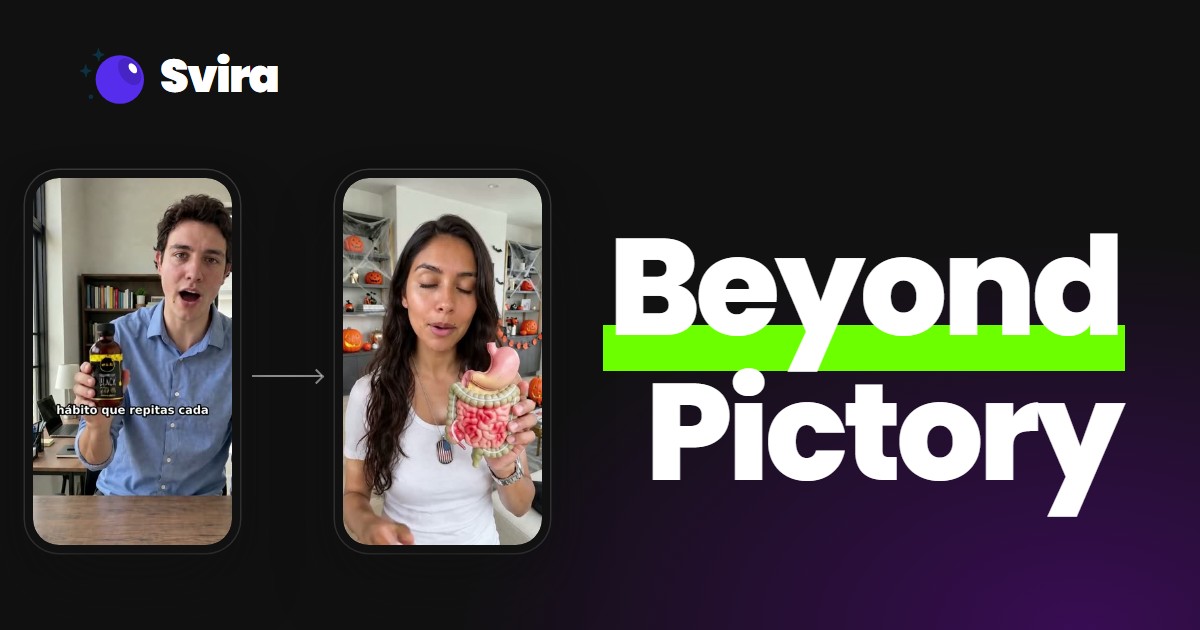
- Svira starts from a viral post rather than a script: it remakes one TikTok or Instagram Reel with your own face or product for about $3 per video in 3 to 5 minutes. Analysis and the first-shot preview are free.
- Svira is a competitor to Pictory. Vendor details were checked on November 19, 2026 and may change.
Pictory starts from an idea, text, a prompt or a link, while Svira starts from a viral post that already worked. Its own line is “Generate Videos in Minutes with Pictory’s AI Video Agent”. This guide sets out what Pictory says on its own site as of November 19, 2026, where Svira differs, and who should pick which. Svira is a competitor, so check the vendor pages yourself.
Pictory is an AI video agent that generates videos from prompts and extends clips, with presenters and digital twins. Svira remakes one viral TikTok or Reel with your own face or product for about $3 per video, in 3 to 5 minutes. Pick Pictory to build from an idea, and Svira to remake a post that already worked.
What does Pictory do?
As of November 19, 2026, Pictory’s homepage says Generate Videos in Minutes with Pictory’s AI Video Agent. It also mentions keeping any clip going with a new prompt, even one you uploaded, adding a talking presenter or a digital twin of you, and AI voices by ElevenLabs.
Extending a clip is the closest it gets to working from existing footage. That is not the same as rebuilding a viral post.
Can you use your own face or voice in Pictory?
Pictory’s homepage offers to add a talking presenter or a digital twin of you, and says reference images can keep the same person consistent across scenes. Its pricing page says the free trial has stock avatars only, while Professional lists cloned avatars, 2 custom avatars and voice clones.
Consent terms for a digital twin are not stated publicly on the pages we read, so ask Pictory before you upload a face. Also worth a read: clone viral TikTok videos.
How much does Pictory cost?
Pictory’s pricing page currently shows a Black Friday promo with an unknown end date, and regular prices only as was values, so we quote no plan price. It lists a 14-day free trial with 300 credits and 3 videos, no card required. Check its pricing page for what applies when you read this.
| Pictory | Svira | |
|---|---|---|
| Starts from | A prompt, or a clip you extend | One pasted viral TikTok or Reel link |
| Output | A generated video with an optional presenter or digital twin | A finished vertical video |
| Own face | Digital twin of you; custom avatars on Professional | Your own face or product |
| Price | Promo prices showing: see its pricing page | About $3 per video |
| Make time | Not stated publicly | 3 to 5 minutes |
| Free step | 14-day trial, 300 credits, no card | Analysis and first-shot preview |
Swipe to see more
A promo price can change by the time you buy, so work out the regular cost and compare it per finished video, not per plan.
A script tool and a remake tool bill for different things, so compare cost per finished video, not the plan. Svira’s rate is about $3 per video, on its pricing page.
How is Svira different from Pictory?
Svira does one job: you paste a viral TikTok or Instagram link and it remakes that post with your own face or product, then you post it yourself. By its own pages, Pictory is an AI video agent that generates videos from prompts and extends clips, with presenters and digital twins.
Script first (Pictory)
- Prompt in, generated video out.
- Extend a clip with a new prompt.
- Presenter or digital twin option.
Post first (Svira)
- You bring a post that already worked, not a script.
- The tool keeps its structure and adds your face or product.
- About $3 per video, free analysis and preview.
Want more options in this group? The best AI UGC video generators guide compares more tools.
Who should pick Pictory and who should pick Svira?
Pick Pictory if you want to generate a video from a prompt, extend a clip, and add a presenter or digital twin. Pick Svira if you want to remake one specific viral post with your own face or product, quickly, at a per-video price. Some creators could use both for different jobs.
- You start from a prompt. Pictory’s headline is an AI video agent that generates videos.
- You want a presenter or digital twin. It offers both, per its homepage.
- You would rather copy proven structure than write a script. Svira studies the hook and beats of a post you choose.
- You post often and want a flat price. About $3 per video, with analysis and preview free.
How do you test Pictory and Svira on one video?
Take one idea and one viral post on the same topic. Turn the idea into a video in Pictory and remake the post in Svira, note the cost and time of each, then post both as tests and keep whichever your numbers favour.
1. Choose one source
Pick one idea and one viral post you have the right to remake.
2. Run it in Pictory
Generate one video from a prompt on the free trial and note the credits used and the controls you get.
3. Run it in Svira
Paste the link, check the free first-shot preview and create. It costs about $3.
4. Compare on results
Post both and judge them on your own account numbers.
Do faceless or scripted AI videos need a disclosure?
It depends on how realistic the video looks and whether it is paid. TikTok’s newsroom says its policy requires labeling realistic AI-generated content, and the FTC expects paid or gifted content to be disclosed. Apply any label yourself when you post, whichever tool you use, including Svira.
TikTok’s announcement on AI labels sets out the platform side, while the FTC’s influencer disclosure guidance covers sponsored posts.
Is this comparison independent?
No. Svira publishes this page and is a competitor to Pictory. We checked vendor details on November 19, 2026 from Pictory’s own site, and they may change. Where Pictory’s pages do not say something, we write not stated publicly instead of guessing. Check each vendor’s current pages before you decide.
- Pictory: pictory.ai/
- Pictory pricing: pictory.ai/pricing
- Svira pricing: https://svira.ai/pricing
We read its homepage and pricing page through a summarizing tool, not raw HTML. Its Black Friday promo has an unknown end date.
FAQs
What is Pictory?
Pictory presents an AI video agent for generating videos in minutes. Its homepage describes continuing a clip with a new prompt, even an uploaded one, adding a talking presenter or a digital twin of you, and AI voices by ElevenLabs. This is from its own site as of November 19, 2026 and may change.
Can Pictory remake a viral video?
Pictory’s homepage describes no reference-video cloning or remix. The closest line is keeping any clip going with a new prompt, even one you uploaded. As of November 19, 2026, nothing we read says it rebuilds the structure of a specific viral TikTok or Reel. Svira is built around remaking one specific viral post.
How much does Pictory cost?
Pictory’s pricing page currently shows a Black Friday promo with an unknown end date, and regular prices only as was values, so we quote no plan price. It lists a 14-day free trial with 300 credits and 3 videos, no card required. Check its pricing page for what applies when you read this. Compare the cost of one finished video on each tool, not the plan.
Can you use your own face or voice in Pictory?
Pictory’s homepage offers to add a talking presenter or a digital twin of you, and says reference images can keep the same person consistent across scenes. Its pricing page says the free trial has stock avatars only, while Professional lists cloned avatars, 2 custom avatars and voice clones. Svira remakes a viral post with your own face or product.
Does Pictory have a free plan?
As of November 19, 2026, Pictory offers a 14-day free trial with 300 credits, up to 3 videos and a 5-minute maximum video length at 720p, with no card required. The trial includes stock avatars only. Svira’s analysis and first-shot preview are free, and you see the cost before anything is charged.
Is Pictory better than Svira?
It depends on the job. Pictory may fit better if you want to generate a video from a prompt, extend a clip, and add a presenter or digital twin. Svira fits better if you want to remake one viral TikTok or Reel with your own face or product for about $3, in 3 to 5 minutes.
What if a job fails?
If a job fails, Svira refunds the credits to your balance automatically and shows a plain reason for the failure, so you are not charged for a video you did not get. Uploading and analysing a source is always free, and you see the free first-shot preview and the cost before anything is charged.
Conclusion
By its own pages, Pictory is an AI video agent that generates videos from prompts and extends clips, with presenters and digital twins. Svira is narrower: it remakes one viral post with your own face or product.
If you want to generate a video from a prompt, extend a clip, and add a presenter or digital twin, Pictory may suit you better. If you start from a post that already worked, try Svira.
Svira’s analysis and first-shot preview are free, and a video takes 3 to 5 minutes at about $3. Compare the Fliki alternative, Syllaby alternative and Predis.ai alternative guides too.
The script-to-video and ad tools compared page lists every tool in this group. TikTok’s Creative Center Top Ads is a free place to find sources worth remaking.
Try one idea in each tool and one viral post in Svira, then decide on your numbers.
Svira turns a link to a post that already works into your own version, with your avatar or your product. Analysing a source is free, so you can try it on a post of your own.