Captions AI alternative: what to use for UGC-style videos

Founder of Maju Superfoods and Stay Viral. $50M Sold Online.
9 min read Published 2026-11-24
Key takeaways
- Captions is an editor first. Svira is a generator that remakes a source video, so they solve different problems.
- As of November 2026, Captions lists Max at $24.99 a month with 500 credits and Frontier at $69.99 with 1,400 credits, on its iOS pricing page.
- Svira costs $3 per video and $1 per carousel, with a free analysis and first-shot preview.
- Svira is not a full editor. If you need to trim your own footage, keep an editor.
- Many creators use both: film and caption in one tool, generate volume in the other.
- Creatify’s pricing page and MakeUGC’s list product-link and template workflows if you want a generator with an actor library.
- TikTok’s synthetic media policy requires labeling realistic AI-generated video, whichever tool you use.
An editor can polish footage, but it cannot replace the camera. If you want to stop filming, you need a different kind of tool. That’s where a Captions AI alternative fits. This guide compares editors and generators for UGC-style video, with prices checked in November 2026.
Captions is an editing app built around talking-head video and captions, with paid AI credits. A Captions AI alternative like Svira makes the video for you: you paste a viral link, add your avatar and product, and get a clip under 60 seconds for $3. Keep Captions if you want to film and edit yourself.
What does Captions do well?
Captions is an editing app centred on talking-head video: you film yourself, then add captions, trims and AI-assisted edits. It is strong when you are the presenter and want fast polish. Check its site for its current AI actor and dubbing features, because they change often.
Captions started as a captioning tool, and that is still the clearest reason to use it. If your workflow is “film on a phone, add captions, post”, an editor is the right category and no clone tool replaces that.
- Best fit: creators who film themselves and want captions, trims and clean-up.
- Weaker fit: sellers who do not want to film at all and want a finished video from a reference.
- Always check the live feature list at captions.ai before deciding, because AI features move quickly.
How much does Captions cost?
As of November 2026, Captions lists a free plan with no AI credits, Max at $24.99 a month with 500 credits, Frontier at $69.99 with 1,400 credits, and higher Frontier tiers up to $279.99. These are the iOS prices shown on its pricing page, so web prices may differ.
| Plan | Price per month | AI credits |
|---|---|---|
| Free | $0 | None |
| Max | $24.99 | 500 |
| Frontier | $69.99 | 1,400 |
| Frontier 2x | $139.99 | See pricing page |
| Frontier 4x | $279.99 | See pricing page |
Swipe to see more
Credit use depends on the feature, so the cost of one finished video varies. Run one real video before you judge a plan.
Why look for a Captions AI alternative?
People look for a Captions AI alternative when they want to stop filming, want a different credit model, or want to start from a proven video instead of a blank take. An editor improves footage you already have. A generator makes the footage. Both are valid, but they are different jobs.
1. You do not want to film
An editor needs footage. A generator builds the video from a reference and your product.
2. You want a fixed price per video
Credit plans make the cost of one clip hard to predict.
3. You want to copy what already works
A clone-first tool starts from a viral source rather than a blank take.
Which Captions AI alternatives should I consider?
Consider Creatify for product-URL video, MakeUGC for UGC templates and Ad Remake, HeyGen for presenter avatars, and Svira for remaking viral videos with your own avatar. Each generates video rather than editing your footage, so they replace the filming step, not the captioning step.
| Tool | Starting point | Price as published | Free option |
|---|---|---|---|
| Creatify | A product URL | Standard $10 a month, billed annually | 10 credits a month, watermark |
| MakeUGC | A template or script | Starter $29 a month, billed annually | $1 trial |
| HeyGen | A script | Creator $29 a month ($24 annually) | 3 videos a month, watermark |
| Svira | A viral video link | $3 per video, $1 per carousel | Free analysis and first-shot preview |
Swipe to see more
See best AI UGC video generators for a wider comparison. Each tool has a dedicated page too: Creatify alternative and MakeUGC alternative.
Check live prices on HeyGen, Creatify and MakeUGC before you decide, since plans move often.
How does Svira differ from Captions?
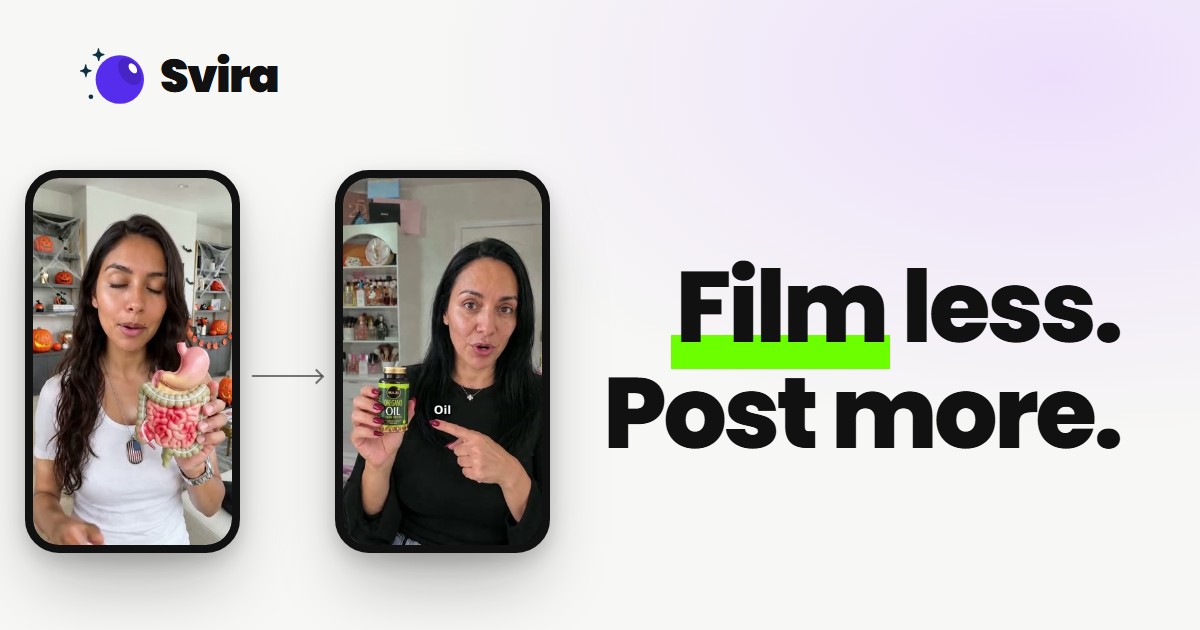
Svira makes the video; Captions edits the one you filmed. In Svira you paste a viral TikTok or Instagram link, add your avatar and product, check a free preview and download a finished clip under 60 seconds with Clean or Classic captions. It does not edit your own footage.
Captions is better when
- You film yourself and want captions, trims and polish.
- You want a mobile editing workflow.
- You need to edit footage you already own.
Svira is better when
- You do not want to film at all.
- You want to remake a proven viral structure.
- You want $3 per video and a free preview first.
Svira includes captions as part of the job: choose Clean, Classic or Off, plus an optional headline hook. See captions in the glossary.
Read AI UGC ads for how a finished video fits an ad test, or how to make AI UGC videos for the five-step workflow.
Can I use Captions and Svira together?
Yes. A common split is to film real clips and caption them in an editor, then use a generator for extra volume or for formats you do not want to film. The two do not conflict, because one polishes your footage and the other produces footage from a source.
Use the editor for hero videos where you are the face. Use Svira for supporting posts: product demos, trend remakes and carousels.
A simple split. Film one real video a week and caption it in your editor. Remake two or three proven formats with Svira for the other days. Compare which gets better retention before you change the ratio.
Is there a free Captions AI alternative?
Yes, in parts. Creatify offers 10 free credits a month with a watermark, HeyGen 3 watermarked videos, and Svira makes analysing a source and the first-shot preview free, with free credits for new accounts once a card is on file. A watermark usually rules a free clip out for ads.
If your goal is just captions on your own video, free caption tools exist in many editors. If your goal is to generate a video without filming, expect to pay for the final render.
Which Captions AI alternative should I pick?
Pick an editor if you will keep filming. Pick Svira if you want a finished UGC-style video from a viral reference without filming. Pick Creatify or MakeUGC if you prefer a product-link or template workflow with a large actor library. Run one short test in your top two before paying.
- Keep Captions. You film yourself and want fast, polished edits.
- Try Svira. You want to remake a proven video with your own avatar and product.
- Try Creatify or MakeUGC. You want to start from a product link or template.
Where do these prices come from?
Prices come from each vendor’s public page, read in November 2026. Captions lists its iOS prices on its pricing page, so web or Android prices may differ. Confirm the current number on the vendor’s page before you subscribe. Feature lists are the vendor’s wording, not a tested claim.
- Captions: captions.ai/pricing (iOS prices)
- Creatify: creatify.ai/pricing
- MakeUGC: makeugc.ai/pricing
- HeyGen: heygen.com/pricing
How do credit plans compare with pay-per-video pricing?
Credit plans charge a monthly fee for a pool of credits, and each action uses some. Pay-per-video charges a fixed price for each finished video. Credits suit steady high volume. Pay-per-video suits uneven or low volume, because you never pay for credits you do not use or lose them at month end.
| Model | How it works | Best when |
|---|---|---|
| Credit plan (Captions, Creatify, MakeUGC, HeyGen) | Monthly fee for a credit pool | You post a steady, high volume |
| Pay-per-video (Svira) | $3 per video, $1 per carousel | Your volume varies, or you are testing |
Swipe to see more
A $24.99 plan that you use for 4 finished videos works out near $6 each, before retries. A plan used for 25 videos is about $1 each. Svira stays at $3 either way.
The right choice depends on how many finished videos you really make, not on the headline price.
Count discarded drafts. Credit use includes the drafts you throw away. Track cost per posted video, not cost per generated video.
Which workflow suits a creator who already films?
If you already film yourself, keep an editor in the loop and add a generator for the videos you do not want to film. Film the hero video, caption it, then remake two or three trending formats with an avatar. That keeps your real face for trust and uses automation for volume.
Creators who film tend to want two things: speed in editing and a way to keep posting on days they cannot record. An editor covers the first. A clone-first generator covers the second.
The risk with mixing is inconsistency. Use the same caption style and the same colour palette in both, so a viewer sees one account, not two. In Svira you can pick Clean or Classic captions to match your editor’s look.
For opening lines that hold viewers, borrow from UGC hooks and examples. To study a source before you remake it, try the viral video analyzer and our clone viral TikTok videos guide.
FAQs
Is Captions free?
Captions has a free plan, but as of November 2026 it includes no AI credits. Paid plans start with Max at $24.99 a month for 500 credits on its iOS pricing page. Check the current plans on Captions’ own site, since prices and features change.
Captions vs HeyGen: which is better?
They do different jobs. Captions is an editor built around talking-head video you film. HeyGen generates avatar presenter video from a script and is stronger for languages and polish. Choose by workflow: edit your own footage, or generate a presenter. See HeyGen alternatives.
Does Captions make UGC ads?
Captions offers AI features alongside its editor, and its feature list changes, so check its site for what it supports today. It is best known for editing video you film. If you want a UGC-style ad generated from a viral reference, a clone-first tool like Svira is built for that.
What is the best free Captions alternative?
It depends on the job. For captions on your own footage, many editors include free captioning. For generated video, Creatify offers 10 free credits with a watermark, and Svira’s analysis and first-shot preview are free, with a finished video at $3. Watermarked free clips are poor for ads.
Can I use Captions and Svira together?
Yes. Film and caption your own clips in an editor, and use Svira for remakes and product videos you do not want to film. Svira outputs a finished clip under 60 seconds that you download and post yourself, so it slots in next to whatever editor you already use.
What if a job fails?
If a job fails, Svira refunds the credits to your balance automatically and shows a plain reason for the failure, so you are not charged for a video you did not get. Uploading and analysing a source is always free, and you see the free first-shot preview and the cost before anything is charged.
Conclusion
The right Captions AI alternative depends on whether you will keep filming. An editor suits your own footage. A generator suits a finished video without a camera.
Good news if you already film: you do not have to choose. Keep your editor for hero clips and add a generator for volume.
TikTok’s newsroom says its synthetic media policy requires labeling realistic AI-generated content, so label generated clips.
Svira’s analysis and first-shot preview are free, then $3 per video in 3 to 5 minutes. Compare presenter options in our AI talking head video generator guide and the best AI Instagram Reels makers.
Test one clip before your next posting week.
Svira turns a link to a post that already works into your own version, with your avatar or your product. Analysing a source is free, so you can try it on a post of your own.
